
CENPRA Brain
Your POS data, as a decision board you read every day.
It gathers your data without touching your POS; every day it answers "how did today go", puts the unusual in front of you as tasks, and answers your questions with reasons. If data is missing it says so; it never invents a number.
LiveWithout changing your POS.
Screens
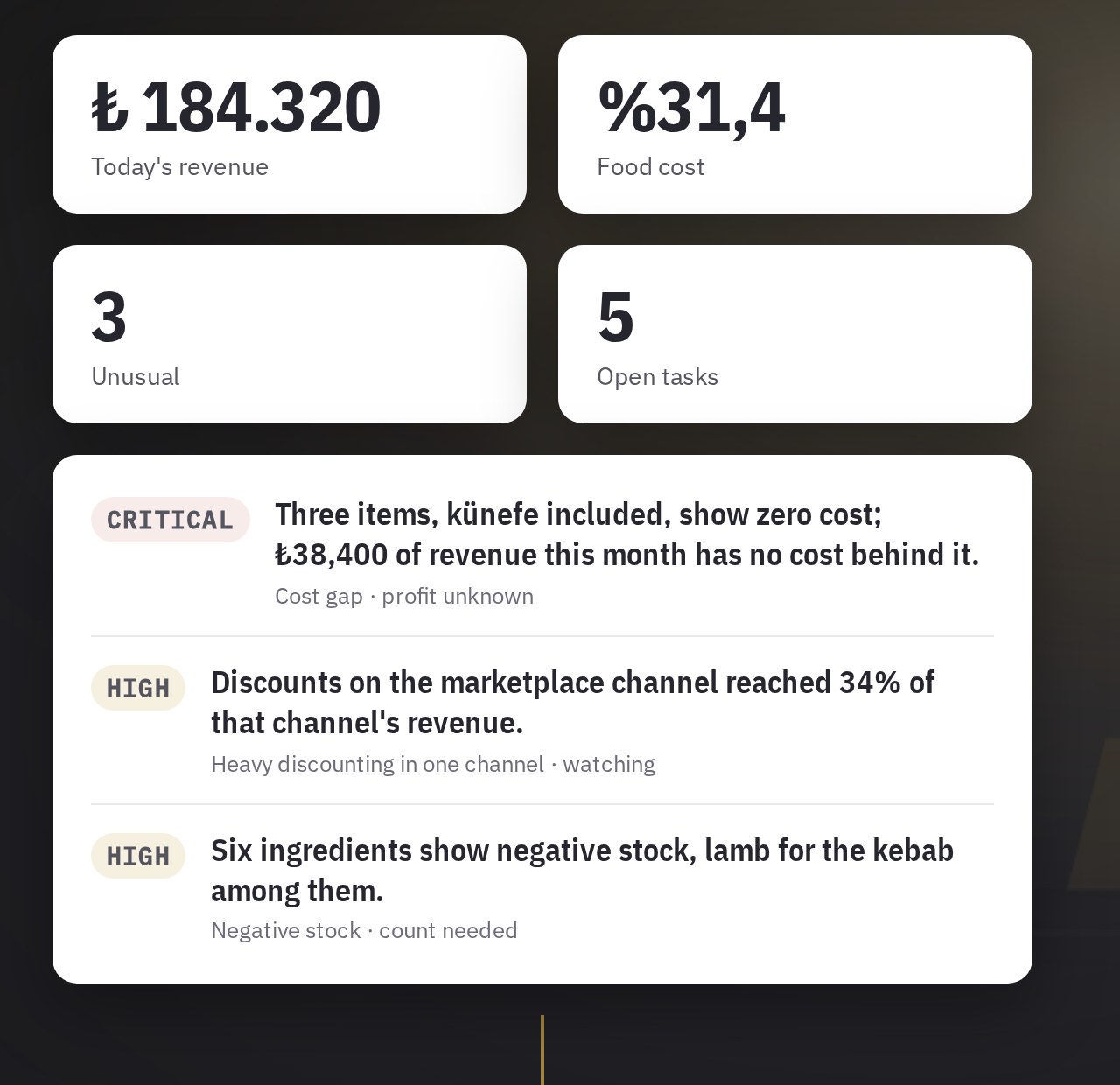
The owner's quick glance on the phone and the deep dive on the desktop are parts of the same product.
Every day
- Cockpit
- Today's state of the business on one screen: revenue, cost, unusual count, open tasks; on the phone with minimal taps.
- Signals
- The list of unusual movements: what, where and for how long. Each signal opens as a task and is followed until closed.
- Assistant
- Answers your question by consulting the sales, stock and purchasing specialities, with reasons and sources; numbers come from computed data.
- Mobile quick view
- A once-or-twice-a-day "is everything on track" glance from the phone.
Report cards
- Branch report card
- Branch health on one page; branches are compared with their peers (like-to-like) and A/B; operating contribution, food cost, stock value, critical stock, open supplier debt.
- Product report card and menu engineering
- Each item's sales count, margin and cost; which items carry the menu and which weigh it down, on a menu engineering matrix.
- Money report card
- Payment mix, discount and void patterns, till movements; risky patterns are flagged.
- Supplier report card
- Purchases, price changes and delivery performance per supplier.
Analysis
- Trend analysis
- What behaved most differently this period: an item, channel, table or payment type stepping outside its own normal is brought forward; the list shows the most unusual, not the best seller.
- Operations
- Stock consumption, waste, production and purchases in one view; line-level detail.
Administration
- Roles and access
- Each user sees only the brand and branch they are entitled to.
- Security
- An audit trail of till and permission movements; suspicious access attempts are visible.
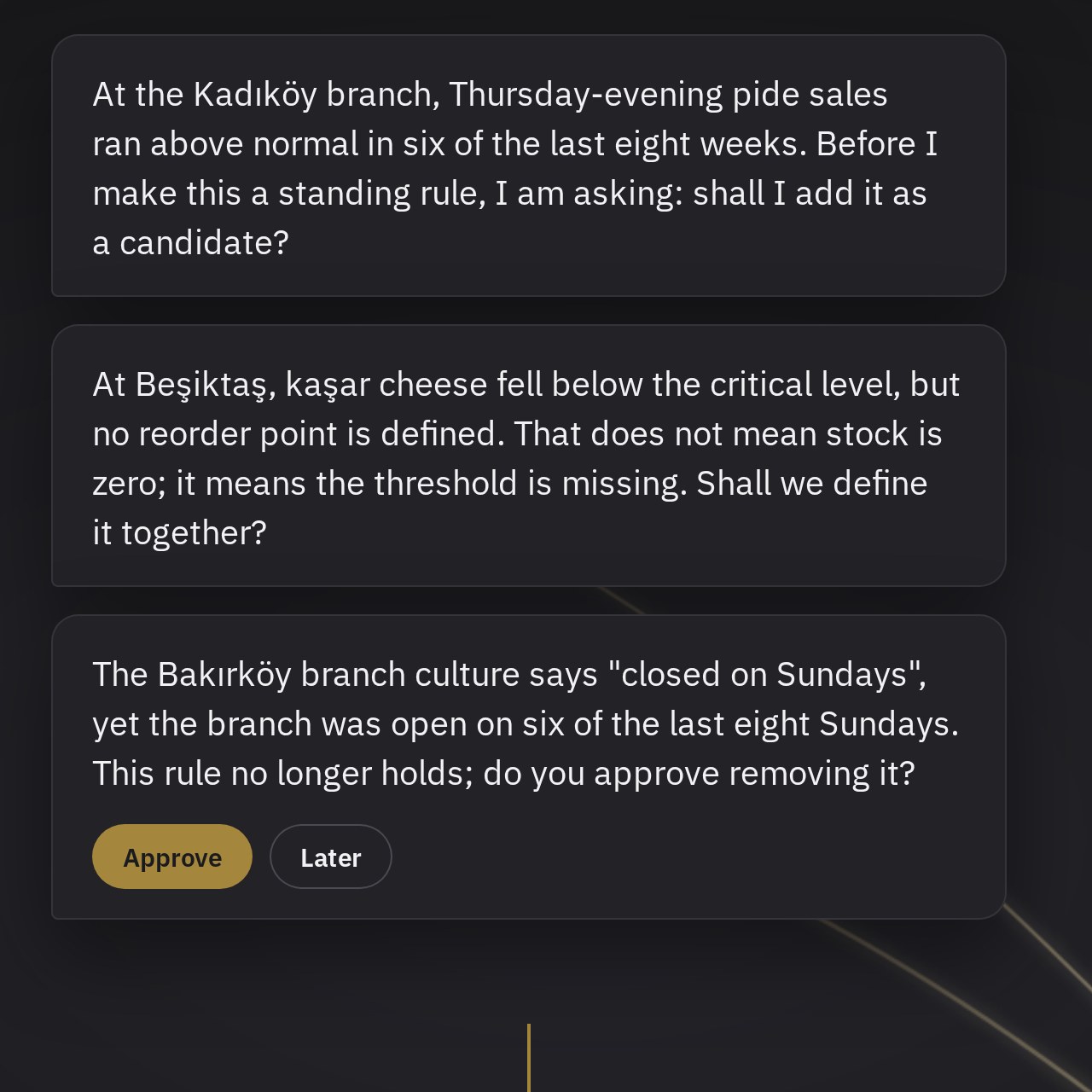
Talos lives inside Brain.
Talos is the layer of mind that reads, interprets and proposes on your products' data. It is what stands behind the assistant's "consult the specialists" experience. Cockpit, Signals, Assistant, Culture and Scheduled analyses are Talos's screens inside Brain.
- It learns your rhythm but asks before making it a rule.
- It notices when a rule no longer holds and proposes withdrawing it.
- It never confuses "no data" with "truly zero".
- It never acts without your approval.
Why it is different
A decision layer, not a system of record.
It does not touch your POS or stock system and asks for no data entry; it reads what is there, makes sense of it and puts it in front of you.
You gain without switching systems.
It is designed to connect to whichever POS you use.
The system computes, the AI interprets.
The model is not allowed to produce numbers; every figure has a source. If data is missing, the screen says so.
Plain owner's language.
Full sentences, no blame. Direct answers to "what is left in my pocket" and "which branch is falling behind".
Start with one branch.
See it in one branch, with your own data, without changing your POS. Setup begins by connecting your POS.